Why robot learning stalls without real-world feedback loops
A robot can look impressive in a lab demo and still fail in a hallway, kitchen, or warehouse aisle. The reason is simple: training data rarely matches the long tail of real environments—odd lighting, clutter, wear-and-tear, different objects, and people who don’t behave “on script.” When the robot meets those conditions, its model stops learning and starts repeating the same mistakes.
Offline datasets and simulation help, but they freeze the world into yesterday’s assumptions. Small distribution shifts compound into bigger errors: a grasp slips, the recovery policy was never practiced, the robot times out, and the task ends.
Real-world feedback loops are how you turn failures into new training signal, but they cost time, operations support, and careful safety constraints to avoid “learning” unsafe behavior.
What “community feedback” actually looks like in robotics
In practice, “community feedback” is less like a comment thread and more like structured traces of what went wrong and what should have happened. The lightest form is a quick rating after an action (“worked,” “almost,” “failed”) plus an optional reason tag like “couldn’t see target” or “grip too weak.” A step up is correction: a user repositions an object, adjusts a goal pose on a tablet, or marks where the robot’s perception was wrong with a bounding box or segmentation scribble.
For manipulation and navigation, demonstrations matter: a short teleop replay, a joystick nudge at the critical moment, or a kinesthetic “show me” trajectory that can be distilled into a policy update. Some programs also accept shared logs—sensor streams, action histories, and environment metadata—so developers can reproduce edge cases. Every extra click, upload, or privacy review reduces participation, so the loop has to earn its overhead.
Where community input improves learning the most
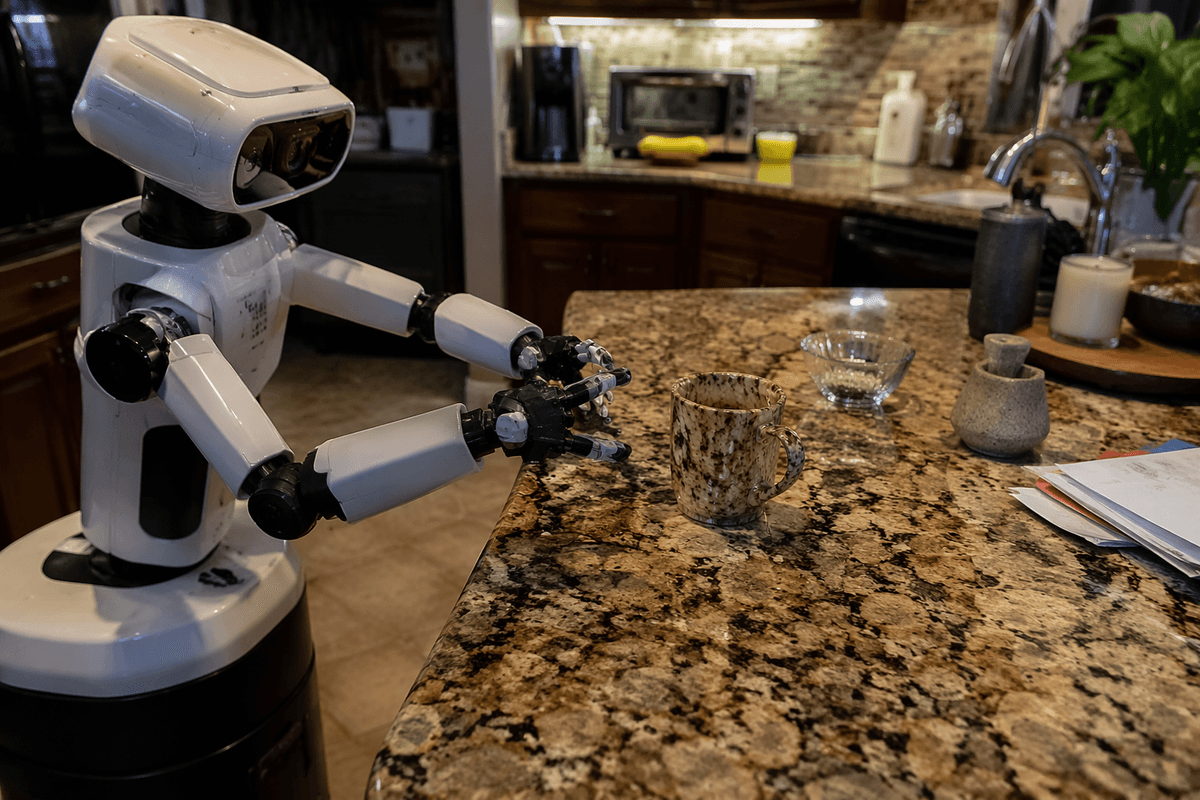
The biggest wins show up where a robot’s training set is thinnest: rare failures and “almost worked” moments that never appear in curated demos. A warehouse robot that misreads glossy shrink wrap, or a home robot that loses a mug against a patterned countertop, benefits more from a few well-labeled misses than another thousand routine successes. Community reports also surface interaction bugs—confusing pauses, unsafe-looking reaches, awkward approach angles—that metrics like success rate can hide.
Feedback is especially valuable for perception boundary cases (what counts as the target), recovery behavior (what to do after a slip or bump), and task specification (what users meant, not what they tapped). It helps generalization when logs include context like lighting, surface type, or object variants. The high-quality corrections and demonstrations take time, and many environments can’t share raw video or maps without expensive privacy handling.
Turning messy feedback into training signal without breaking things
A familiar failure report looks like this: “It dropped the box when turning,” plus a blurry clip and a “grip too weak” tag. Useful, but not directly trainable. The first job is normalization—align timestamps, extract the attempted goal, and convert free-text and tags into a small set of failure modes your team actually maintains. Then you decide what kind of signal it can safely become: a supervised label (wrong object, wrong pose), a preference (attempt A looked safer than B), or a corrective demonstration (here’s the nudge that fixed it).
Most programs treat community data as “candidate updates,” not automatic learning. They filter for sensor integrity, remove obviously out-of-distribution situations, and de-duplicate repeats so a single enthusiastic user doesn’t dominate. Weak signals like ratings often train a reward model or reranker that changes which policy is selected, while higher-trust demonstrations update the policy itself—usually offline, with conservative regularization to avoid unlearning baseline behavior.
Labeling, privacy scrubbing, and replay tooling can cost more than the model training. Safety gates help: only promote changes that pass simulation stress tests, regression suites on known hazards, and small-scale canary deployments before a full rollout.
Incentives and UX: getting people to submit useful feedback
Most people will only give feedback when the robot has already cost them time, so the interface has to make “reporting” feel like finishing the task, not starting a new one. The default should be a one-tap outcome plus a short list of reason tags tied to common failure modes. If you need richer signal, ask at the moment the user is already intervening: “Was this nudge correct?” or “Mark the object you meant,” using a frozen frame and a single scribble tool.
Incentives work best when they pay back quickly. Show that a report changed something (“fixed in the next update”), offer practical perks (faster support, fewer throttles, priority features), and reserve heavier contributions (teleop demos, log uploads) for power users with clear opt-in. Every extra prompt risks lower completion rates and more low-effort clicks that look like data but train the wrong lesson.
Quality, bias, and security risks you need to plan for
A common failure mode is treating all community feedback as equally trustworthy. In reality, you’ll see low-effort taps, misunderstood tasks (“I wanted the other box”), and inconsistent labels across users and sites. If you train directly on that, the robot can get worse in the median case while improving on a vocal minority. Practical mitigations look like redundancy (multiple reports per issue), contributor reputation, and requiring supporting evidence (a clip, a marked frame) for high-impact updates.
Bias shows up as coverage gaps. The robot gets tuned for the environments and users who submit data: well-lit homes, certain accents in voice commands, specific warehouse layouts, or a region’s safety norms. If your feedback loop doesn’t actively sample the long tail, you can end up “optimizing for participation,” not performance. That usually means budgeting for targeted data collection and audits, not just passively accepting uploads.
Security and privacy are the non-negotiables. Logs can leak faces, addresses, inventory, and facility maps; demonstrations can be poisoned to insert unsafe actions. Treat feedback as untrusted input: minimize what you collect, encrypt and access-control it, strip identifiers, and gate training with anomaly checks and signed, reviewable data pipelines.
Measuring whether feedback is actually improving the robot
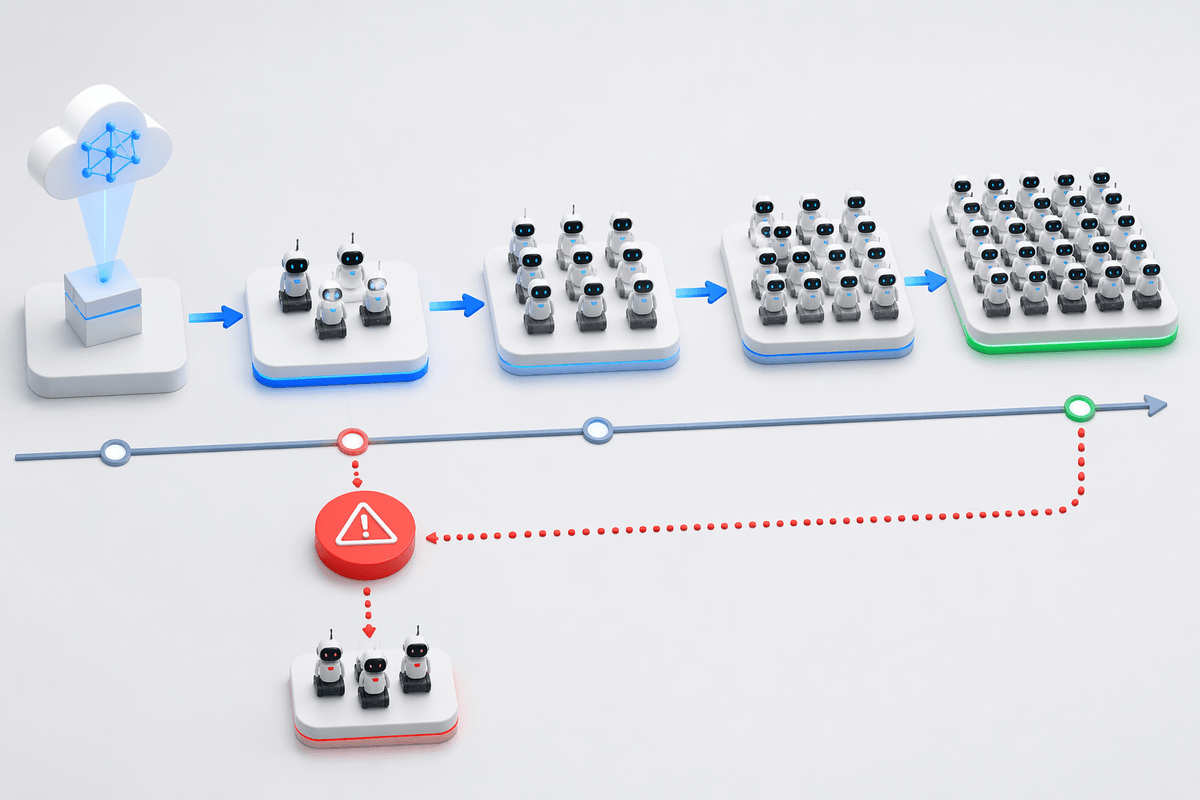
You can’t judge a feedback loop by “we trained on more data.” You need a holdout set that represents the problems users actually reported, plus a frozen regression suite of known hazards and core tasks. Track changes in: intervention rate (how often a human has to step in), time-to-complete, and error severity (near-miss vs minor failure). Also measure calibration: when the robot says it’s confident, is it right?
A/B testing helps, but robotics rarely allows pure randomization at scale. Practical substitutes are canary deployments to a small fleet, then staged rollout with rollback triggers. Watch for silent regressions: a policy that raises success rate but increases contact forces, or “fixes” one site by overfitting to its lighting. The cost is instrumentation and consistent logging—without it, improvements stay anecdotal.
A practical starting plan for your first community loop
Start with one robot behavior and one failure mode you can name in a sentence (for example: “missed grasp on reflective packaging”). Instrument it so every failure produces a lightweight log, then add a one-tap outcome plus 3–5 reason tags. Treat anything richer (video, teleop, demos) as optional and explicitly opt-in.
Route incoming reports through a triage queue: de-duplicate, reject corrupted/unsafe traces, and sample a fixed slice for manual review so you can estimate noise. Convert the rest into conservative training targets (labels or preferences), retrain offline, and only ship updates that pass regression tests and a small canary rollout. Budget time for privacy scrubbing and support—operations, not model code, is the first bottleneck.