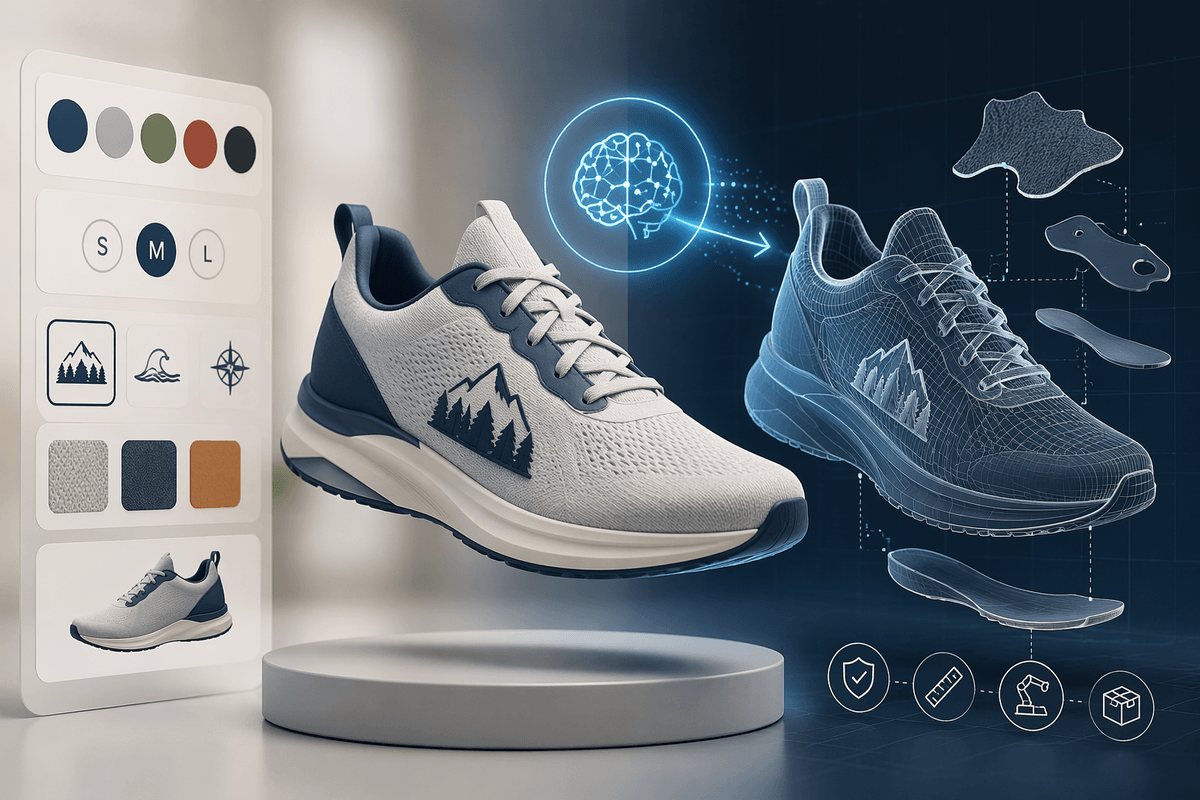
Why product customization gets messy, fast
A customizable product sounds like a simple toggle—“add text,” “pick a color,” “choose a size”—until you count how many combinations reach the design team. Each new option can multiply downstream work: new CAD variants, updated BOMs, revised packaging art, fresh renders, and new QA checks. What looked like a marketing feature becomes a miniature product line.
The mess usually starts where choices collide with constraints. A logo that fits on one material cracks on another. A “small” frame can’t accept the same hardware as “large.” Even if manufacturing can handle it, customer-facing previews must stay accurate, on-brand, and fast, which adds more 3D and rendering upkeep.
Costs don’t just rise—they become harder to predict. Variant spikes create uneven design workloads, and mistakes slip in when teams copy, tweak, and re-export assets under time pressure. The real challenge isn’t offering options; it’s keeping every option valid, consistent, and sellable without turning 3D into a permanent bottleneck.
Where traditional 3D workflows break under variant demand

The breaking point in traditional 3D workflows is rarely “can we model it once?” It’s “can we keep hundreds of near-identical models aligned with reality?” Most teams rely on a mix of master CAD files, derivative exports, and hand-maintained rules in spreadsheets or configurator logic. Under variant demand, that structure turns brittle: small upstream changes (a hole diameter, a material swap, a supplier tweak) cascade into rework across geometry, UVs, textures, LODs, renders, and BOM links.
Even when parametrization exists, it tends to be designer-centric rather than commerce-centric. CAD parameters don’t automatically become customer-safe choices, and guardrails often live in people’s heads. The operational cost shows up in review cycles: someone has to verify fit, clearances, engraving bounds, and brand placement per variant, then regenerate visuals that match the exact SKU.
Web configurators want lightweight assets and predictable lighting, while manufacturing wants precise, version-controlled models. Maintaining both pipelines doubles the asset burden, and “just one more option” can tip the system into slow previews, inconsistent visuals, or invalid orders.
How 3D design AI changes the customization loop
Picture a customer picking options while you’re still confident the order will be buildable. That’s the promise when 3D design AI is paired with a rule-driven model: instead of hand-building each variant, the system generates geometry changes, applies textures, places graphics, and produces renders or real-time assets on demand. The loop shifts from “design, export, check, re-render” to “choose, validate, generate,” with humans spending more time defining what’s allowed than pushing pixels for each SKU.
In practice, the biggest win is throughput for repeatable patterns: engraving placement, size-driven scaling, material swaps, accessory add-ons, and template-based layouts. AI can also help flag likely issues—overlapping parts, text too close to an edge, a graphic crossing a seam—before a quote or checkout. It can even propose fixes (shrink, reposition, switch fastening) within guardrails, which reduces back-and-forth.
AI won’t reliably invent manufacturable details from scratch, and “looks right” can diverge from “fits” without tight CAD constraints, tolerances, and approved materials libraries. You also take on new costs: curating training/reference data, locking brand rules, monitoring drift, and building an approval path for edge cases so invalid variants don’t become paid orders.
Picking the right use cases: configure, personalize, or co-design
Most teams overreach by treating every customization request as the same problem. “Configure” is the safest starting point: customers choose from predefined parts or dimensions, and the system enforces compatibility (size-to-hardware, material-to-finish, region-to-compliance). AI helps by generating the correct visuals and lightweight web assets per SKU, but the real work is in the constraint model and version control that keep those options valid when engineering changes.
“Personalize” is narrower but higher volume: text, monograms, colorways, patches, decals, or photo uploads applied inside strict boundaries. Here AI earns its keep by auto-layout, kerning, collision checks, and preview rendering, while humans define fonts, safe zones, and prohibited content. Expect moderation and brand review costs, plus edge cases like reflective materials or stitched surfaces where previews can mislead.
“Co-design” is the risky tier: customers influence form, not just decoration. It can lift conversion for premium products, but it also creates manufacturability and liability exposure. AI can propose options or resolve conflicts, yet you still need an approval gate, fallback defaults, and clear rules for when a design becomes a custom quote instead of an instant order.
Data and constraints: the hidden requirements for “instant” designs
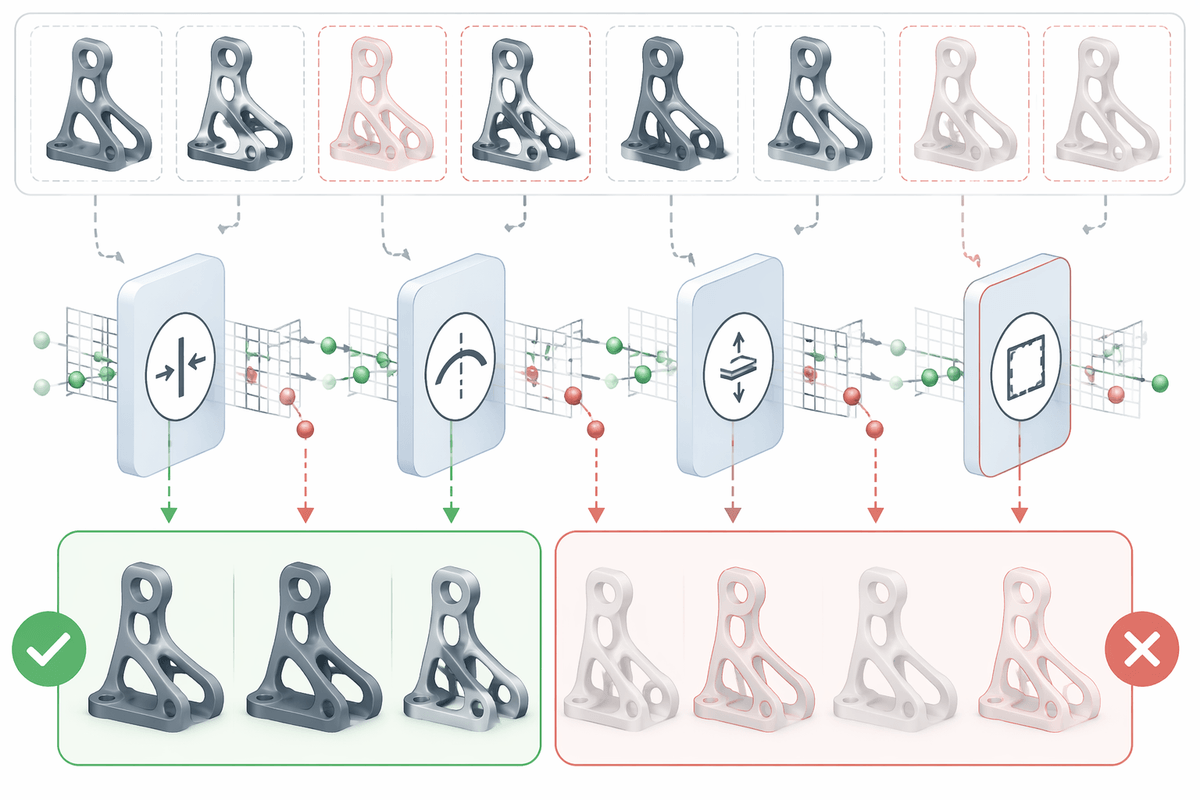
A familiar failure mode is the “instant” preview that’s only instant because it ignores the hard parts. Customers can type anywhere, scale anything, and pick any material—until production has to say no. The difference between a fun configurator and a safe ordering system is the data behind it: named attachment points, real material thicknesses, minimum bend radii, print/engrave safe zones, and a SKU-level mapping from options to parts, finishes, and process steps.
Constraints also need to be computable, not just documented. “Logo can’t cross a seam” has to become seam geometry plus a rule that checks overlap. “Text must be legible” needs font files, minimum stroke widths per process, and render settings that match your actual surface behavior. If those inputs are missing or inconsistent, AI will still generate variants, but you’ll pay the cost later in manual cleanup, refunds, and rework.
Building that constraint layer takes time and coordination. Engineering has to expose parameters, marketing has to codify brand placement rules, and manufacturing has to define what changes trigger a new approval. The practical takeaway: budget for data preparation like a product launch, because “instant designs” are usually constrained designs with fast generation.
Tooling choices: from CAD plugins to web configurators
A common fork in the road is whether you keep customization inside your existing CAD stack or push it outward into a commerce-facing generator. CAD plugins and automation scripts are the most conservative option: they let engineering own the “source of truth,” reuse parametric features, and emit manufacturing-ready files with traceable versioning. The trade-off is access and throughput—licenses are expensive, jobs queue up on specialist machines, and you still need a clean handoff from CAD outputs to web previews.
Web configurators and headless 3D pipelines flip that: they optimize for fast previews, guided choices, and integration with PIM/ERP/order systems. Here, the critical choice is how the system produces geometry and visuals—prebaked assets, rule-driven assembly, or on-demand generation—and where constraints live. If constraints are only in the UI, invalid combinations will leak through via APIs, customer support edits, or marketplace orders.
Many teams end up with a hybrid: CAD remains authoritative, while a lightweight “presentation model” drives real-time previews and AI-assisted personalization. The cost you can’t avoid is ongoing asset governance—material libraries, naming conventions, change propagation, and a rollback plan when a supplier tweak breaks a popular configuration.
Shipping it safely: approvals, QA, and measuring ROI
Even in highly automated workflows, there needs to be a clear way to halt production when a generated result looks convincing but is actually wrong. Every generated variant should be traceable: inputs, rule versions, material selections, model identifiers, approval history, and any downstream modifications. That level of record-keeping may feel excessive during early implementation, but it becomes invaluable when a manufacturing issue, customer complaint, or design discrepancy needs to be investigated later.
Most routine validation can be handled automatically. Checks for clearances, bounding-box limits, safe-zone violations, minimum feature sizes, and other hard constraints are well suited to software enforcement. Human review delivers the most value in situations where rules are less predictable: new materials, unusual customer requests, collaborative design sessions, or products that fall outside established patterns. Maintaining that safety net carries its own operational burden. Test suites need updates, supplier specifications change, constraints evolve, and generated outputs require periodic audits to ensure quality has not drifted over time.
Quality assurance becomes far more effective when it reflects the ways orders actually fail in production. Incorrect previews, assemblies that cannot be manufactured, and mismatches between SKUs and bills of materials are usually more damaging than cosmetic generation errors. Success metrics should be equally practical. Time saved per order, the percentage of jobs requiring manual intervention, refund and remake rates, and conversion improvements tied to faster previews reveal whether automation is creating real business value. If those numbers remain largely unchanged, the underlying workload may not have shifted very much—the system may simply provide a more polished interface for the same process.