Why your AI governance plan feels ungrounded without discovery
You can write a clean AI policy, publish it, and still get the same question in every steering meeting: “So where are we actually using AI?” If you can’t answer with specifics—teams, tools, vendors, and real workflows—governance turns into theory. Approvals become guesswork, monitoring has nothing to attach to, and ownership stays vague because nobody can point to what needs an owner.
Discovery is what turns “AI risk” into a list of concrete items you can act on. It shows where AI is embedded in software you already pay for, where employees paste data into public tools, and where pilots quietly became production. The hard part is that this takes time from busy teams, and you’ll hit resistance unless you keep the ask small and useful.
Once you can reliably find AI, you can govern it—and that starts by deciding what you even mean by “AI” in your organization.
What counts as “AI” here (and what you’ll miss if you don’t decide)
Deciding what you mean by “AI” is where discovery either stays manageable or explodes into arguments. In practice, teams will point to different things: a chatbot in a helpdesk tool, an OCR feature in accounts payable, a model a data scientist trained, or a “smart” scoring rule a vendor won’t fully explain.
Pick a definition you can run operationally. Many organizations start with three buckets: (1) custom-built models you own or tune, (2) third-party products with AI features turned on, and (3) employee-facing tools that generate text, code, images, or summaries. If you don’t decide, you’ll miss the second bucket—because it hides in settings, contracts, and release notes—and you’ll miss the third because it lives in browser tabs, not systems diagrams.
The constraint is time: every extra edge case slows intake and burns goodwill. Write the rule in plain language, publish a short “counts/doesn’t count” list, and reserve a fast escalation path for gray areas.
When the org says “we don’t use AI,” where do you look first?
That escalation path matters most when a leader says, “We don’t use AI,” and still expects you to certify it. Start where people already buy and enable things: your top SaaS vendors and the admin consoles behind them. Many “AI” features show up as toggles, add-ons, or new defaults inside tools like ticketing, CRM, HR, and document platforms, so pull the current SKU list, check what’s turned on, and ask admins what changed in the last two quarters.
Then look for the browser-tab reality. If you have proxy/DNS logs, SSO app catalogs, or CASB reports, search for common public gen-AI tools and copy/paste helpers. If you don’t, run a short, specific survey: “Which tools do you use to generate or summarize content for work?” and “Do you paste customer, employee, or source code into them?” Expect under-reporting—people won’t answer if it sounds like an audit.
Finally, walk the work. Sit with support, sales ops, finance ops, and security for 30 minutes each and ask what they do when a queue spikes or a report is due. You’ll hear about macros, “smart” triage, and vendor copilots. The downside is coordination: calendar time is your bottleneck, so you’ll need a tight script and a clear promise of what teams get back from the effort.
You found 60 use cases—now which ones deserve attention this quarter?
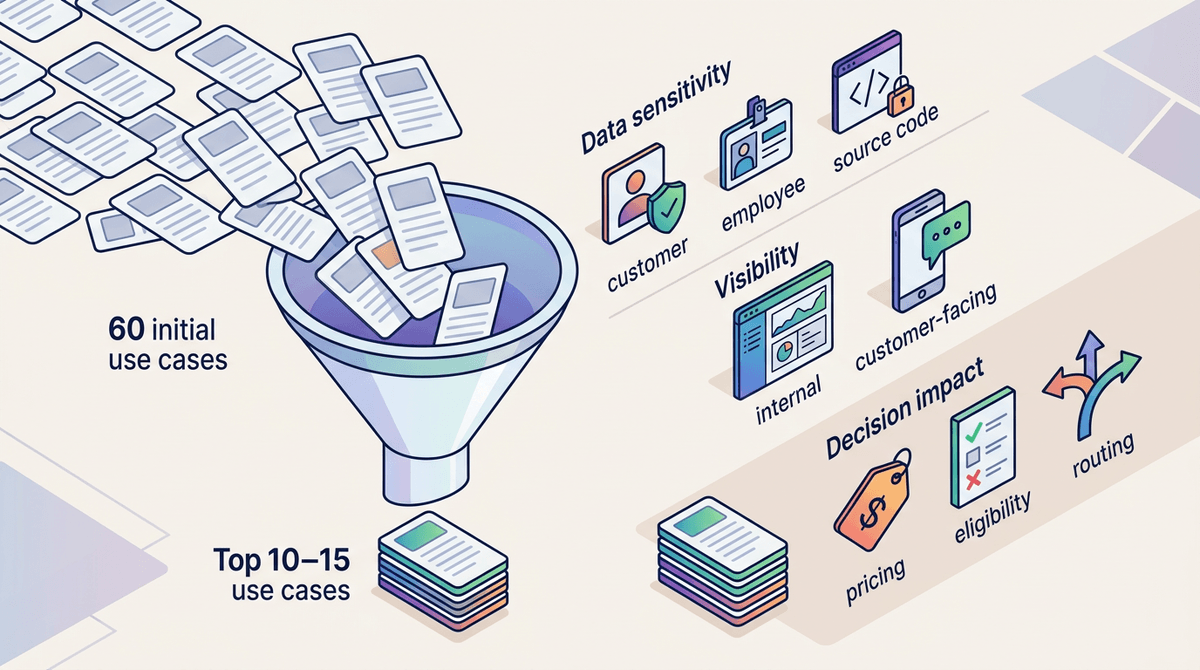
That promise matters even more after you run discovery and end up with a spreadsheet of 60 “AI” use cases. If you treat them all the same, you’ll either stall out or spend the quarter chasing low-impact curiosities while the highest-risk items keep running.
Start by tagging each use case with a few signals you can answer fast: what data goes in (customer, employee, source code, none), who sees the output (internal only vs. customer-facing), and what the output does (draft content vs. changes a decision, like eligibility, pricing, routing, or disciplinary actions). Then add two reality checks: is it already at scale (daily use, broad access), and is it inside a vendor feature you can’t inspect. If a tool touches regulated data and generates customer-facing responses, it lands at the top even if it’s “just a pilot.”
Expect messiness. Owners will be unclear, and teams will downplay usage when they fear shutdowns. Pick the top 10–15 to work this quarter, assign a named owner for each, and make sure every inventory record is written in a way that enables an approval, a control, or monitoring.
The inventory isn’t the outcome: what each record must enable
That’s the test: if an inventory record can’t drive an approval, a control, or monitoring, it’s just a list. In practice, people build inventories that read like a catalog (“Tool X, used by Team Y”), and then stall when Legal or Security asks, “So what do we do about it?”
Make each record answer a few operational questions. Who is the accountable owner and backup? What data goes in, and where does it come from (systems, uploads, copy/paste)? Where does the output go (internal docs, customer emails, automated decisions)? What vendor or model is involved, and what settings are enabled? What’s the “stop button” if you need to pause it (feature toggle, API key, access group)? Add links: contract, DPIA/PIA, security review, and the place you’ll monitor usage.
The hard part is completeness: teams won’t know half of this on day one. Capture “unknown” on purpose, assign the follow-up, and then turn the filled-in records into the actual approval paths, vendor controls, and monitoring you’ll run.
How to turn discovery results into approvals, vendor controls, and monitoring
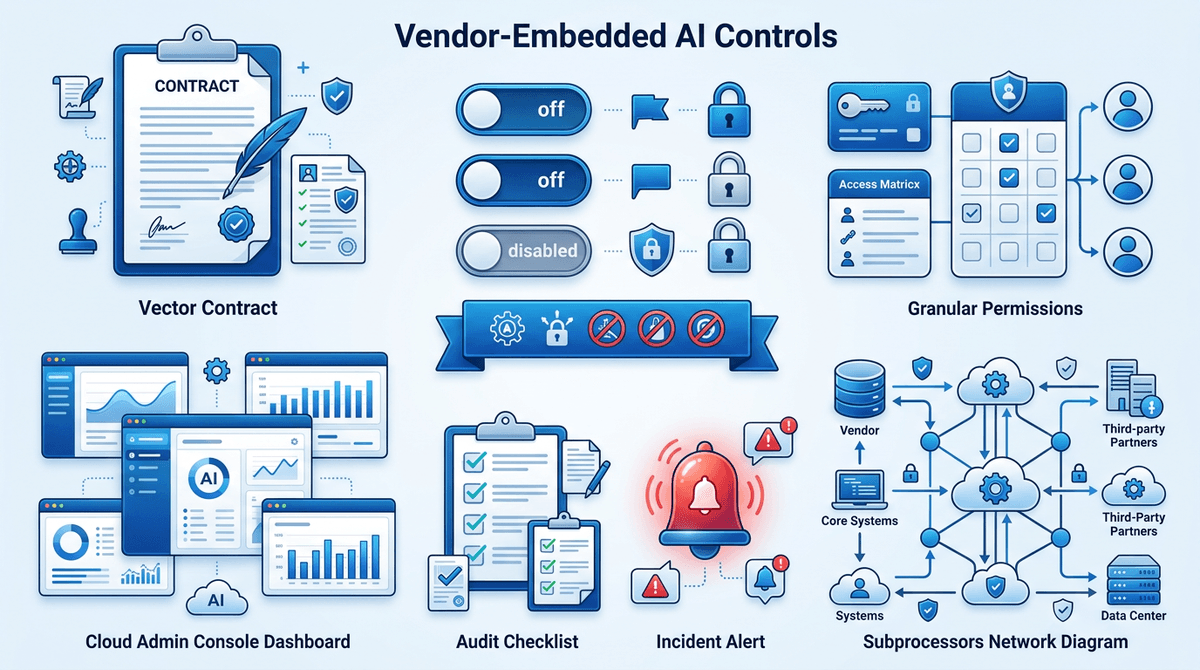
That’s where the inventory starts paying rent: every filled-in record should route to a decision, not a filing cabinet. If the use case is customer-facing, uses regulated data, or influences an operational decision, tie it to a required approval path with a named gatekeeper (Privacy, Security, Legal, Model Risk, or a lightweight review board) and a clear “approved/approved with conditions/not approved” outcome. Don’t let reviews drift into open-ended debate; require a one-page intake pulled from the record.
For vendor-embedded AI, translate the record into contract and admin-console controls. Push for data-use limits, no training on your data (or a documented exception), audit rights, incident notice timelines, and clarity on subprocessors. Then lock settings: disable risky features by default, restrict who can turn them on, and require a change ticket when a vendor releases new AI functions.
Monitoring is the glue: pick two or three signals you can actually collect (usage volume, sensitive-data prompts, customer-facing outputs) and assign someone to review them monthly. The constraint is tooling—if you can’t see usage today, start with access controls and logs you already have, then expand.
Keeping discovery alive after the initial sprint
Once monitoring is running, discovery stops being a project and starts being a habit. In most orgs, new AI shows up in ordinary places: a vendor flips on a new copilot, a team buys a small add-on on a card, or someone ships a “temporary” script that calls an API and never gets retired.
Keep it alive by wiring discovery into work that already happens. Add one “AI in scope?” question to intake points like procurement, vendor renewals, security reviews, and architecture/design reviews. Ask IT/SaaS admins for a quarterly “what changed” list from the top platforms, and run a short, low-stakes pulse survey twice a year focused on tools and data types.
The hard part is upkeep. Records rot when ownership changes and nobody has time to update them, so assign a steward, set a simple monthly cadence (even 60 minutes), and auto-escalate “unknown” fields older than 30 days so gaps don’t become your default state.